Illustrated · 1 min

Background

Previously, we've seen how to rotate, reflect, and dilate a figure using matrices. This last lesson in this series will cover the final matrix transformation, matrix translation.

Before we continue, it's important that we review how to represent a function with a matrix. We put the ordered pair vertically in the matrix. Say we're given the points, (x,y)(x,y), (a,b)(a,b), and (1,2)(1, 2). We would represent these points in matrix form like so:

[xa1yb2]\begin{bmatrix} x&a&1 \\ y&b&2 \\ \end{bmatrix}

As we can see, the coordinate points are vertically paired in the matrix.

Matrix Translation

A translation is when we move a figure on a graph from one place to another. We can also call a translation a "shift", because we are shifting the function over by a given number of units. The important part about translations is that the size and orientation of the function don't change, only its location on the graph.

To translate a function use matrices, we add or subtract the amount of units that we want to move a function to each component in the matrix. If we have a triangle with coordinates (a,b)(a,b), (c,d)(c,d), and (e,f)(e,f), and we want to shift the triangle 11 unit down and 22 units to the left, our matrices would look like:

[acebdf]→[a−2c−2e−2b−1d−1f−1]\begin{bmatrix} a&c&e \\ b&d&f \\ \end{bmatrix} \rightarrow \begin{bmatrix} a-2&c-2&e-2 \\ b-1&d-1&f-1 \\ \end{bmatrix}

Let's look at an example!

Example

Use matrices to shift the square with points (2,3)(2,3), (2,1)(2,1), (0,1)(0,1), and (0,3)(0,3) left by 33 units.

Solution

The matrix for the given square looks like:

[22003113]\begin{bmatrix} 2&2&0&0 \\ 3&1&1&3 \\ \end{bmatrix}

It doesn't really matter what order the pairs are in, as long as the respective xx and yy coordinates are paired together!

The points of our squared are graphed,
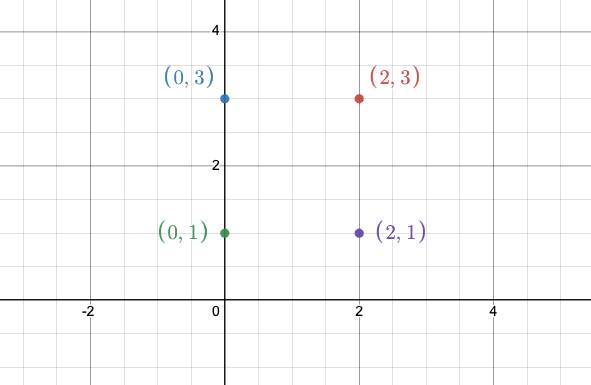
Graphed points: (0,3), (2,3), (0,1), and (2,1)

Made using Desmos

Now, we'll shift the xx values left by 33 units.

[2−32−30−30−33113]→[−1−1−3−33113]\begin{bmatrix} 2-3&2-3&0-3&0-3 \\ 3&1&1&3 \\ \end{bmatrix} \rightarrow \begin{bmatrix} -1&-1&-3&-3 \\ 3&1&1&3 \\ \end{bmatrix}

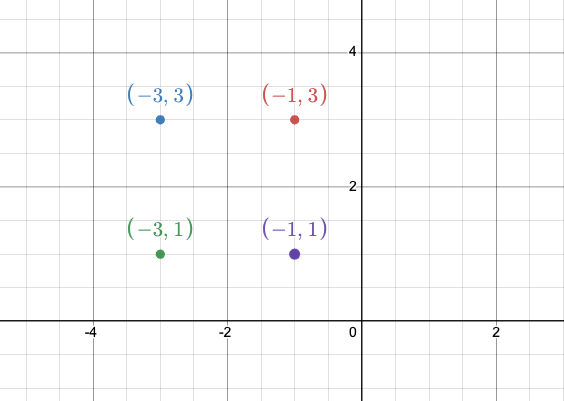
This new matrix tells us that the points for our new translated square are: (−1,3)(-1,3), (−1,1)(-1,1), (−3,1)(-3, 1), and (−3,3)(-3,3). Graphed, this new square looks like:

Graphed points: (-3,3), (-1,3), (-3,1), and (-1,1)

Made using Desmos

Video

(Video) Matrix Translations

by statslectures

This video by statslectures walks you through an example of a matrix translation.

Summary

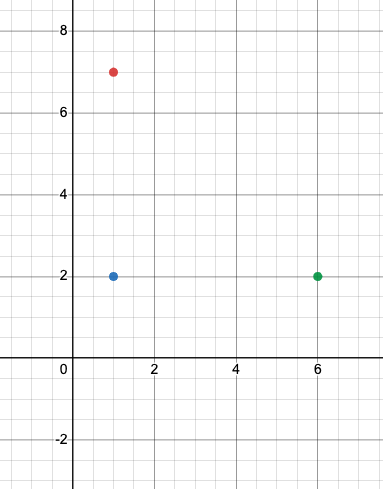
We start with a graphed triangle with the three points, (1,7)(1,7), (1,2)(1,2), and (6,2)(6,2). Graph this on a coordinate system.

Graph of the following points: (1,7), (1,2), and (6,2)

Made using Desmos

We will now arrange this points in a vertex matrix:

[xy]=[116722]\begin{bmatrix} x \\ y \\ \end{bmatrix} = \begin{bmatrix} 1&1&6 \\ 7&2&2 \\ \end{bmatrix}

We will then use matrix addition and subtraction to translate the image. Translation is when we move a figure without changing its size or shape. If we want to move this triangle two units to the left and two units down, we would first subtract 22 from each of the xx values, then we subtract 22 from each of the yy values. You don't need a transformation matrix here. Our new matrix looks like:

[−1−14500]\begin{bmatrix} -1&-1&4 \\ 5&0&0 \\ \end{bmatrix}

Now, we have our three new points: (−1,5)(-1,5), (−1,0)(-1, 0), and (4,0)(4,0).

Illustrated · 1 min

Matrix Translation of a Figure

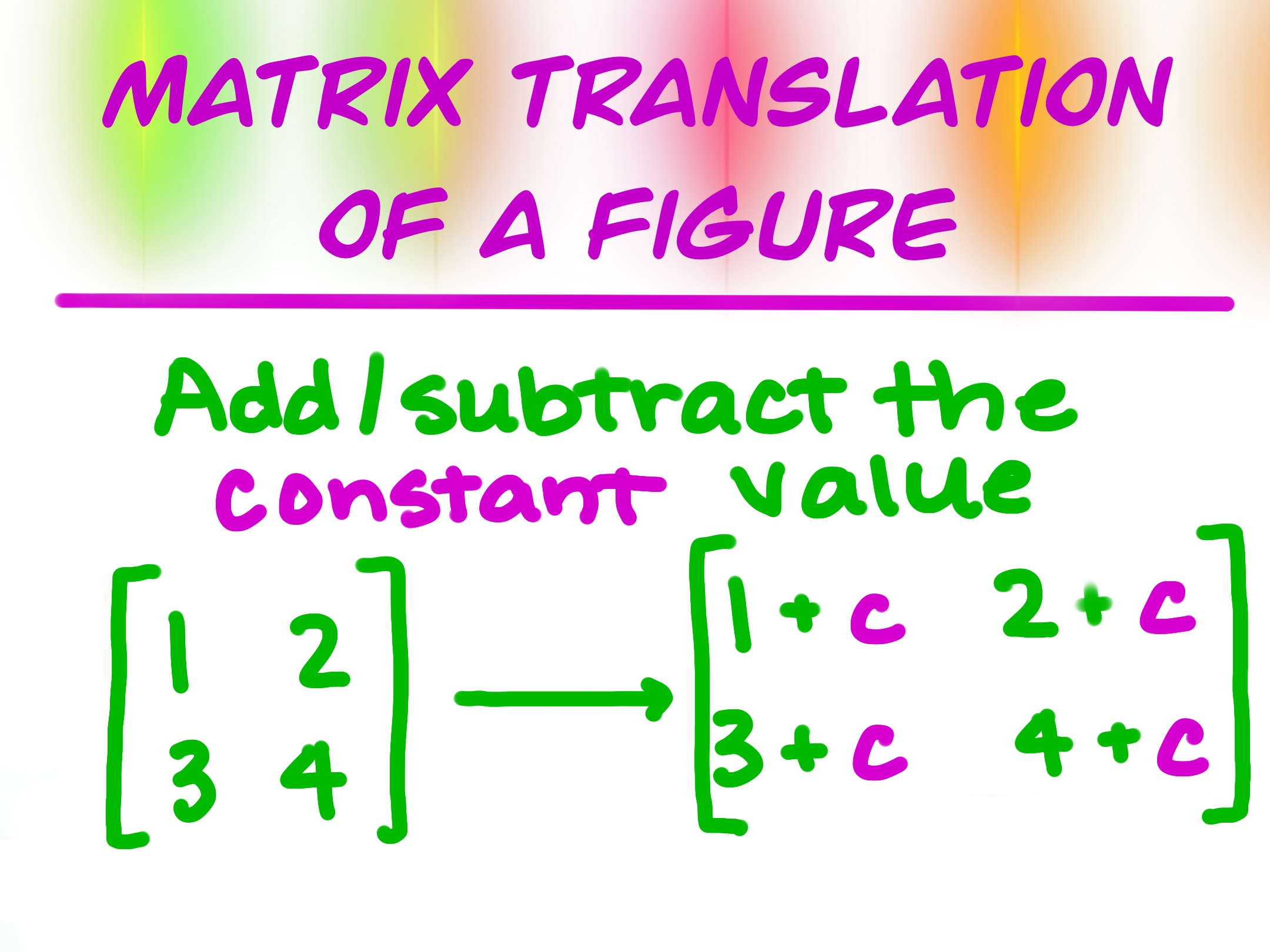
The last geometric transformation we will be talking about is the matrix translation of a figure.

matrix translation of a figure
add/subtract the constant value

Image source: by Anusha Rahman

To do a matrix translation of a figure using matrices, you will simply add or subtract the constant value to the entries in the matrix. If you want to shift a figure horizontally, then you'll only add/subtract the constant from the yy-values. Similarly, if you want to shift a figure vertically, then you'll only add/subtract the constant from the xx-values.

Type a concept, like “slope” or “photosynthesis”.

↑ ↓ to choose · Enter to openSearch explanations and problems